I Never Used Crop Mode—Until This Lens
Aug 31, 2026Disclosure: Viltrox provided the 90mm f/2.2 EVO for review. The observations here are based on how I used it on real productions. This article also contains an affiliate link; if you buy through it, I may earn a commission at no additional cost to you.
I had never seriously considered using crop mode on my Sony cameras. On the FX6 and FX3, switching to Super 35 means recording in 1080p, and that initially felt like giving up too much. Then I tested the Viltrox 90mm f/2.2 EVO on an actual corporate production and discovered that crop mode solved a more important problem: getting a fast, compact tight lens into a small working kit.
The result was not a compromise I had to hide. It was a practical workflow that let me move faster, balance less gear, and capture a tight interview angle that matched the rest of the project.
Why crop mode felt like a deal-breaker
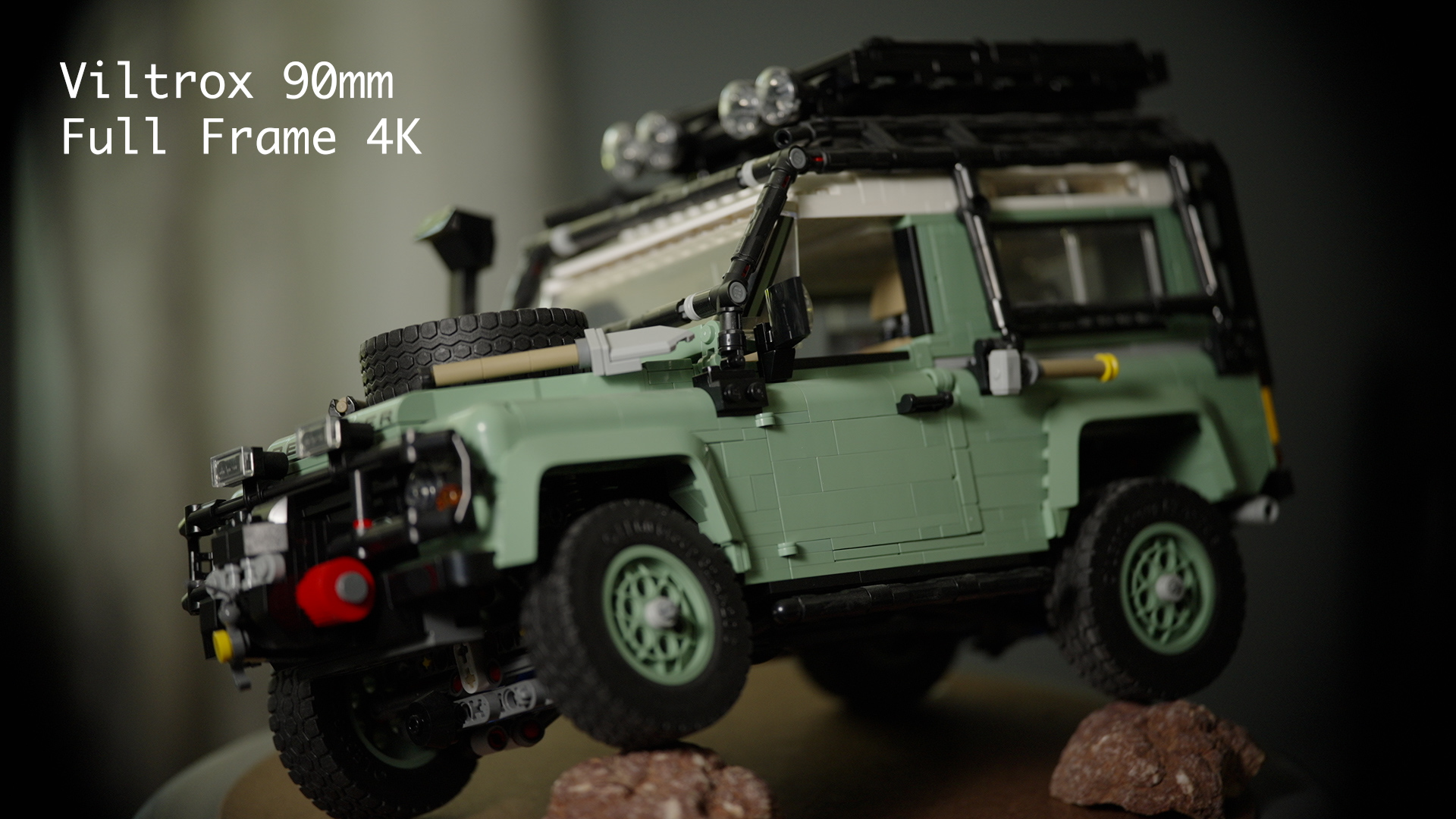
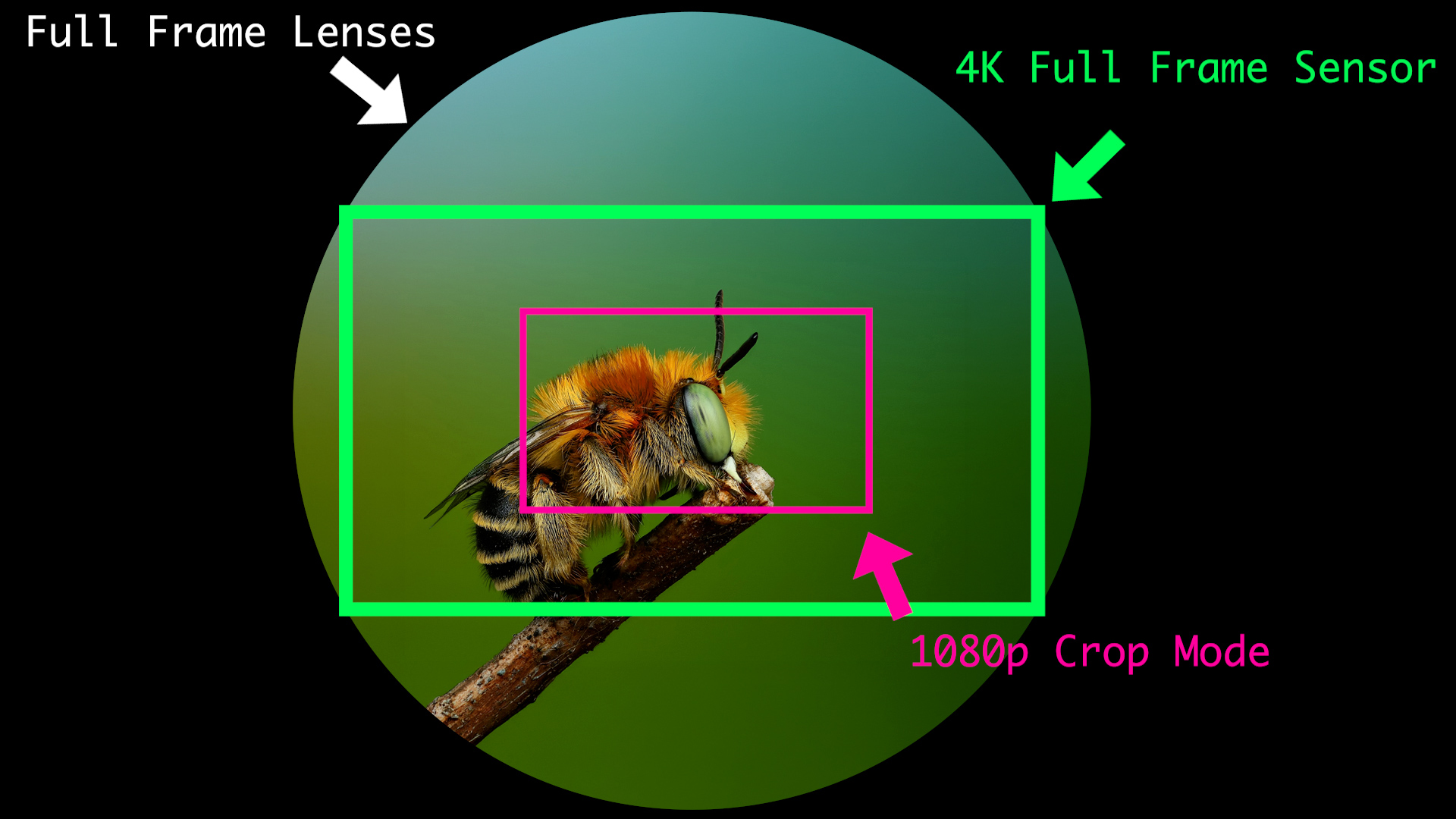
When I agreed to review the lens, I did not realize it was designed for Super 35. My first instinct was to stay in full-frame 4K, accept the vignette, and crop farther into the image in post. Technically, that could work. In practice, the dark corners distracted me while composing, and I was framing around a picture I would never deliver.
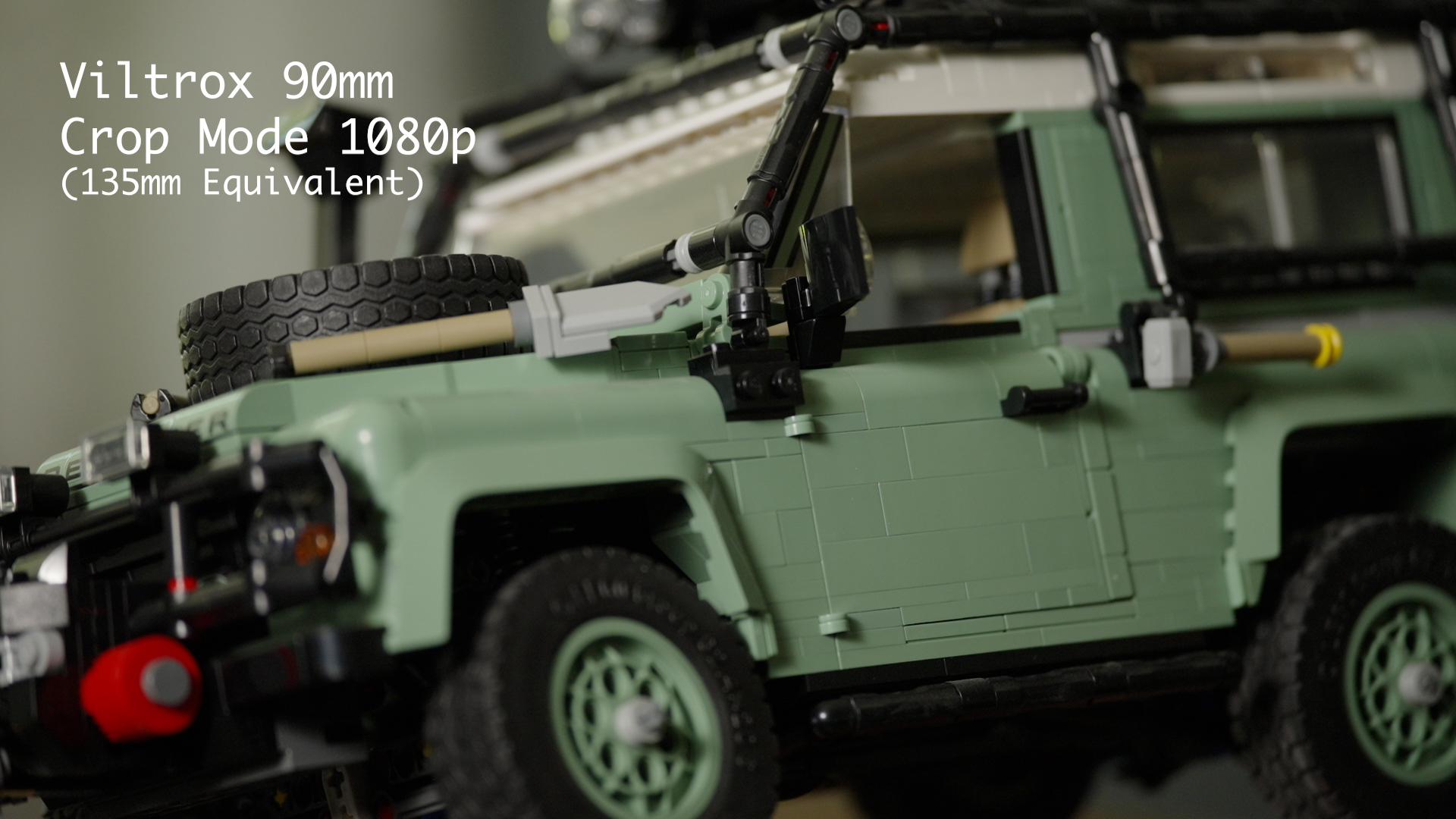
Switching the camera to Super 35 immediately gave me the complete usable image in the monitor. The 90mm field of view becomes roughly equivalent to 135mm on full frame, which is exactly the kind of tight perspective I often need for interviews, conference rooms, and detail coverage.
Why 1080p stopped being a problem
I normally record in 4K, but I edit and deliver most of this work on a 1080p timeline. Once I stopped judging the camera setting in isolation and looked at the actual delivery pipeline, integrating the crop-mode footage became a non-issue. The 1080p image held up beside footage from my Canon 50mm cinema prime, and I did not see a quality difference that pulled me out of the scene.
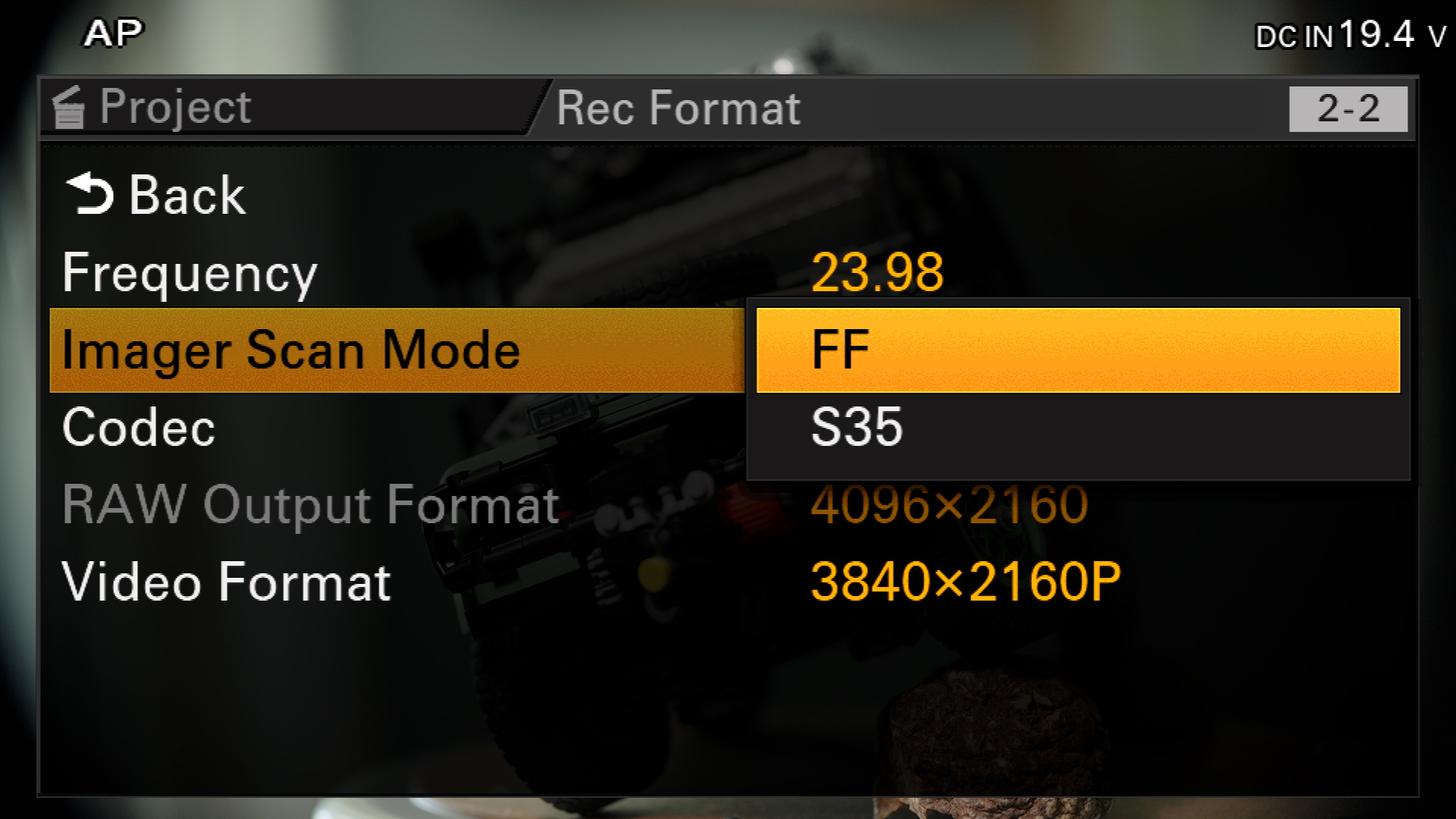
There is one operational detail to remember. On the FX6, changing Project > Rec Format > Scan Mode from Full Frame to S35 automatically changes recording to 1080p. When you return to Full Frame, the camera does not automatically restore 4K, so you must reset the video format. On the FX3, change the file format to HD/1080p and then enable APS-C/S35. Once configured, switching between 4K and HD becomes a quick way to move between full-frame and crop-mode shooting.
The speed mattered more than the zoom range
The lens this replaced in my interview kit was a Canon 100–400mm f/4.5–5.6. The zoom offers far more focal-length range, but most of that range was not helping me on these jobs. The Viltrox at f/2.2 is more than two stops faster at the long end, which gives me better subject separation and much more control in ordinary office locations.
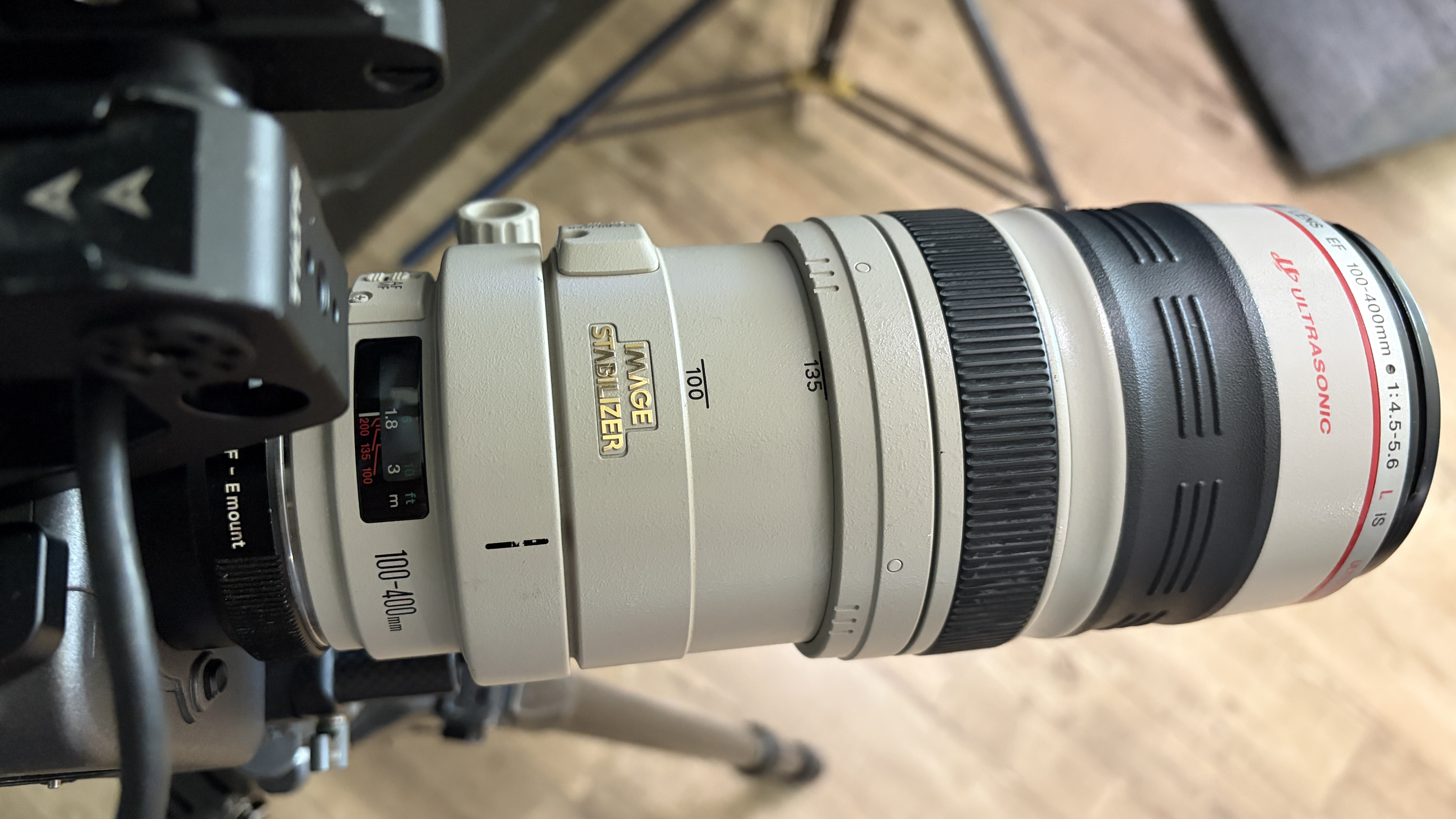
The Canon is also large, heavy, and changes its center of gravity as it zooms. That makes it poorly suited to a gimbal or compact motion system. The 90mm gives up versatility on paper, but it gives me the focal length and speed I actually need while taking far less room in the case.
A lens swap that does not rebalance the gimbal
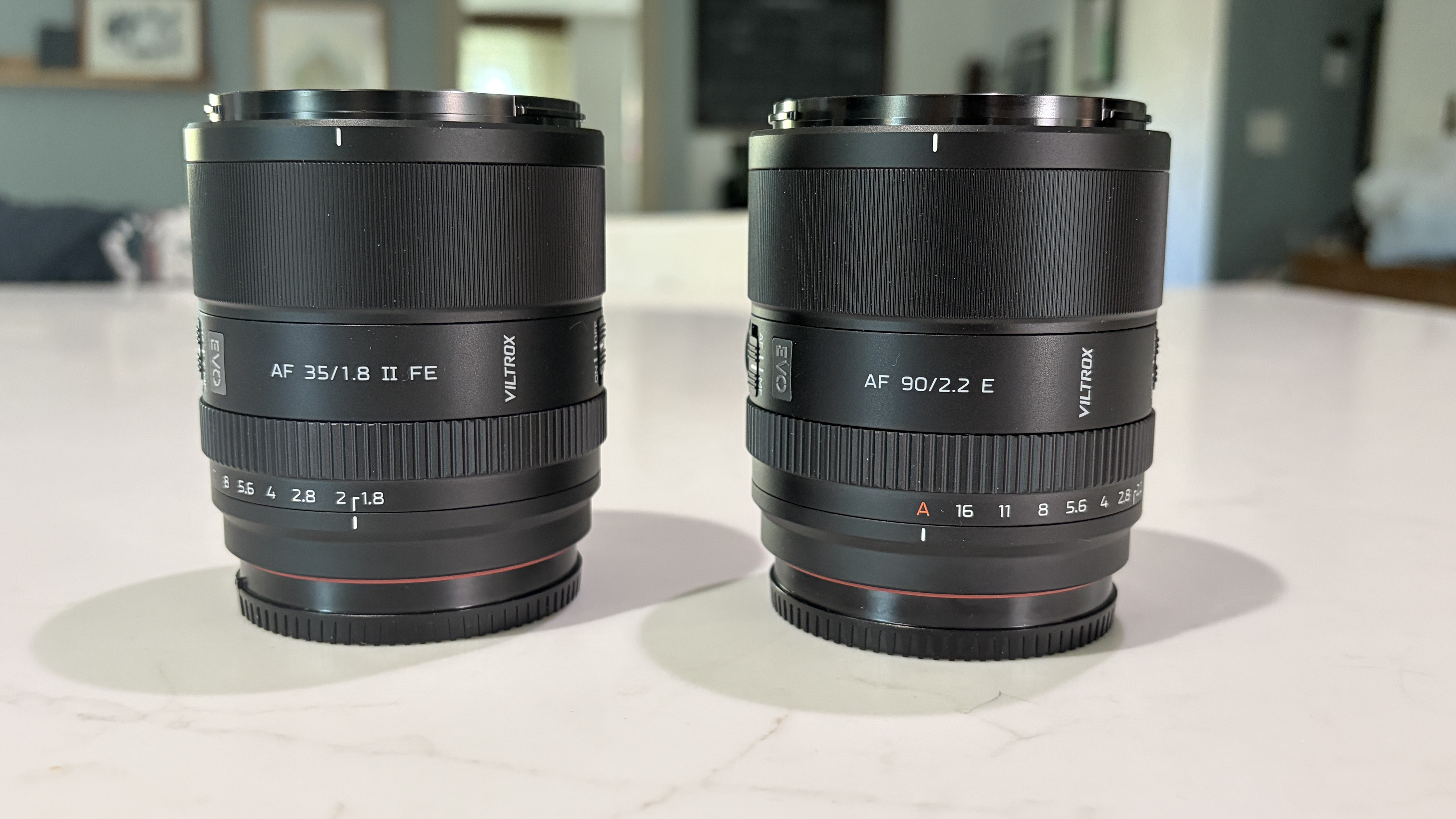
The 90mm is remarkably close in size and weight to the Viltrox 35mm I already use. That means I can swap between the two on the FX3 gimbal without rebuilding and rebalancing the rig. On a small crew, that matters more than another line on a specification sheet.
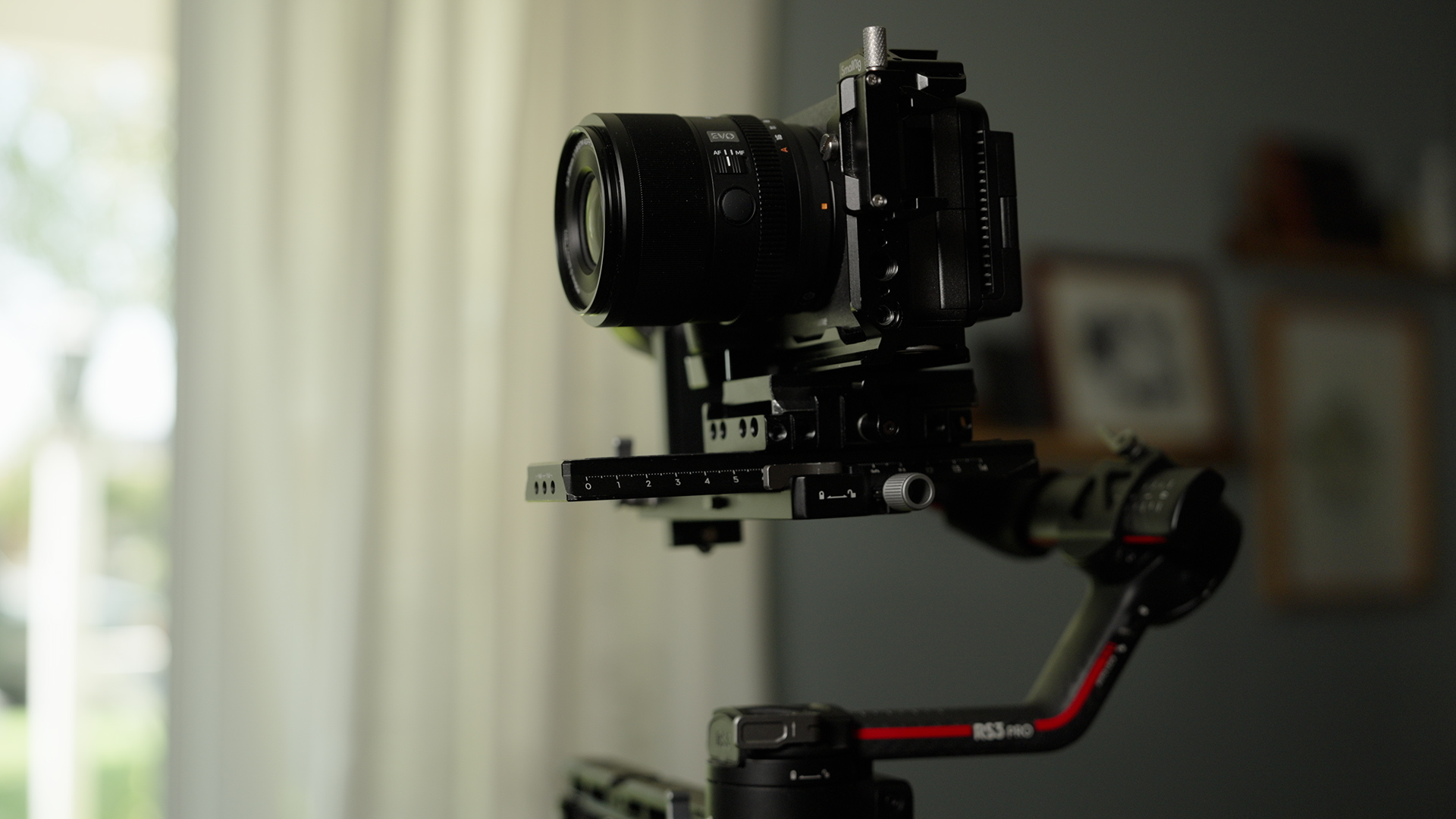
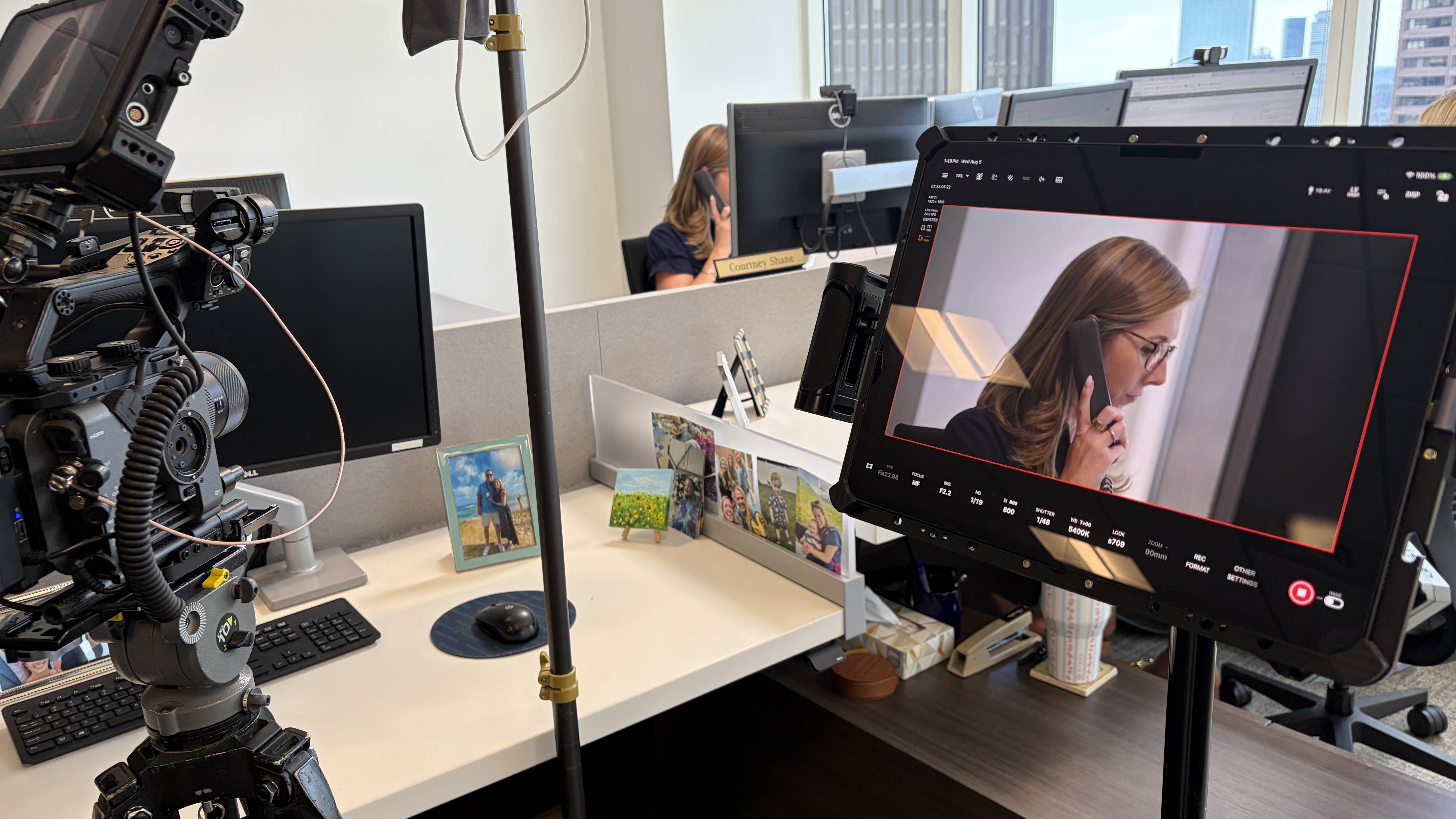
Autofocus also worked well enough for the way we operate. With the FX3 on the gimbal, a crew member can use an iPad to tap between subjects. The focus transitions, background rendering, skin tones, and color match with the 35mm and Canon 50mm all worked in the finished coverage.

Where it fits—and where it does not
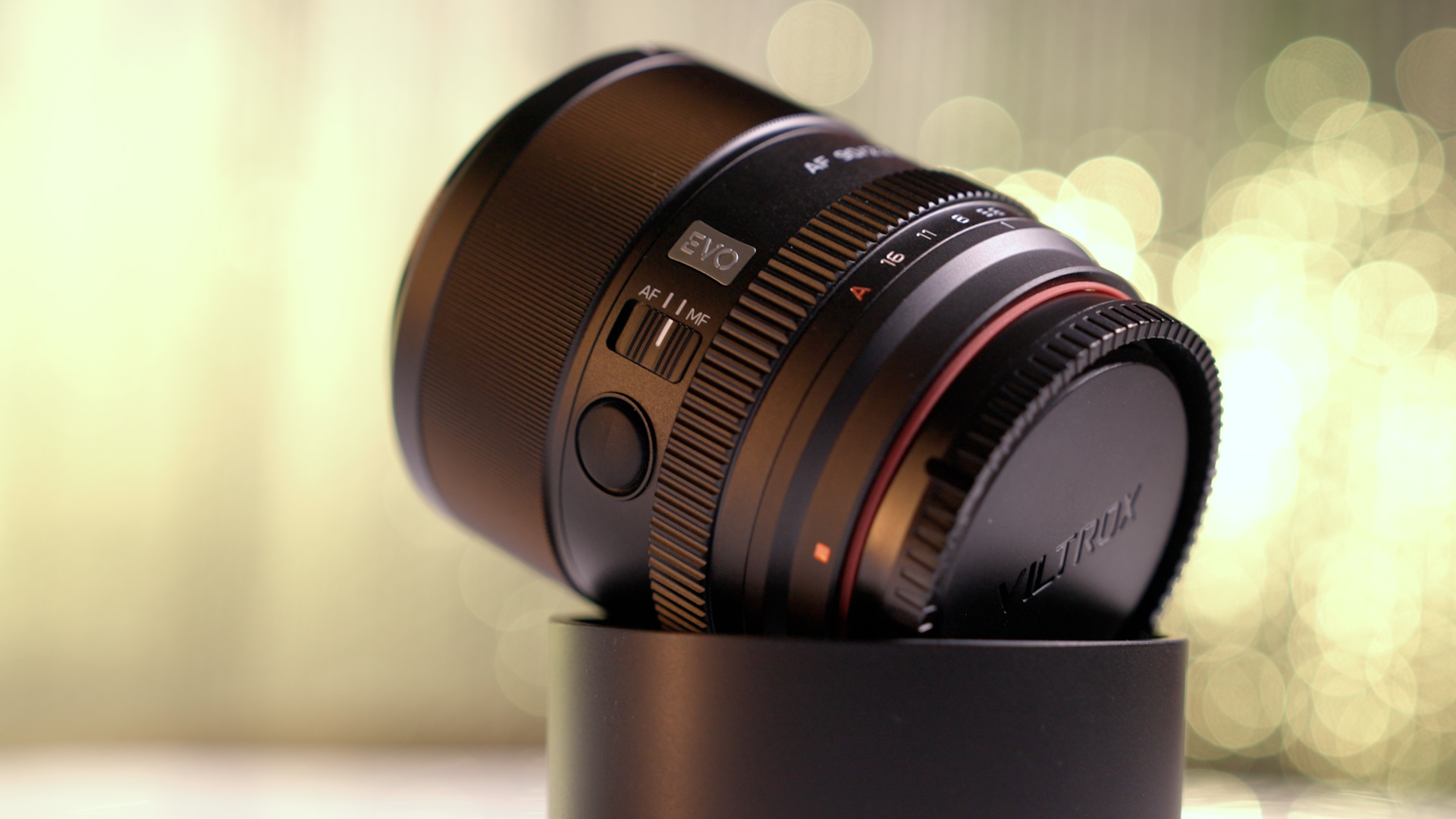
This is an E-mount autofocus lens, so it mounts directly to the Sony cameras without an adapter. Its minimum focusing distance is around two feet. It can capture useful details, but it is not a macro lens.
It is also not a cinema lens. There are no engraved focus marks or built-in cine gears, and it does not replace my Canon 50mm cinema prime when I need repeatable manual focus or a traditional assistant-camera workflow. Its value is different: it is a fast, compact, dependable tight lens for autofocus, gimbal work, and small crews.
The three-lens kit I carry now
For this kind of conference-room work, the kit is now very simple:
- 35mm for the wide shot and environmental coverage
- 50mm for the primary interview or medium angle
- 90mm for the tight shot, compressed perspective, and details
That combination covers the wide, medium, and tight views I need without carrying the 100–400mm. More importantly, the lenses fit the way I actually work: a full-frame cinema camera, a compact gimbal camera, a small crew, and limited time to make changes.
Final thoughts
Crop mode initially looked like less resolution and more limitations. On this job, it became the opposite. It gave me a clean 135mm-equivalent field of view, a lens more than two stops faster than the zoom it replaced, and a package I could move between cameras without slowing down the production.
The Viltrox 90mm f/2.2 EVO will not replace every long lens or every cinema prime. But for interviews and corporate work, it earned a permanent place beside my 35mm and 50mm—and the 100–400mm can stay home.
See the Viltrox 90mm f/2.2 EVO on Amazon (affiliate link)
If you want a practical framework for making these decisions on real productions—from framing and lighting to lens choice and exposure—explore The Essential Guide to Cinematic Video.
by Chris Tinard © cNOMADIC 2026
Learn more about cNOMADIC's cinematography philosophy and training at cNOMADIC.com.